
Bola Capture
KAYAC Inc.Action
4.49.00 Reviews
- Version
- 017
- Installs
- 500.00K
- Age Rating
- Teen
Screenshots
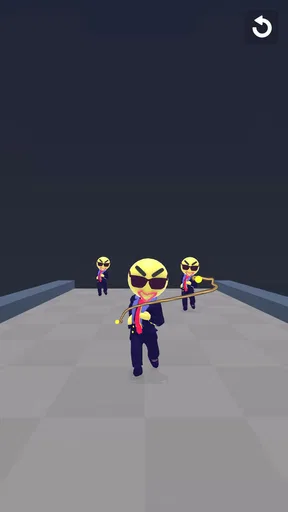
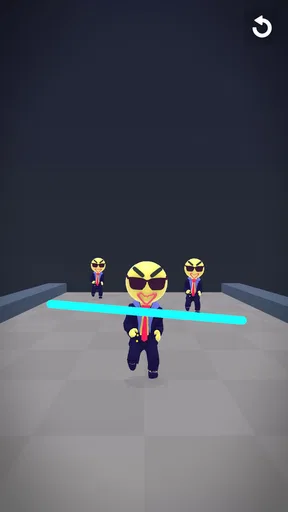
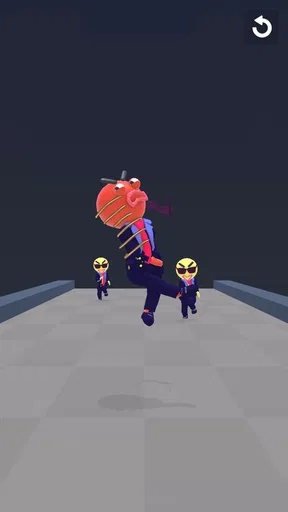
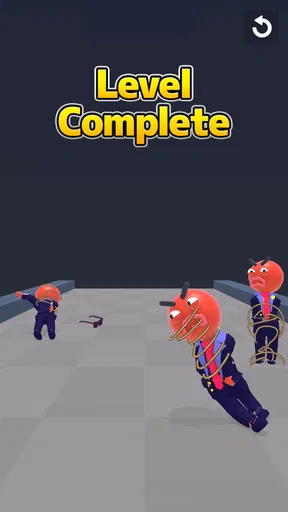
Our Review of Bola Capture
 Analysis by Appyee
Bola Capture is a small action game built around one clear physical idea: I drag to choose a direction, release to send a bola, and try to wrap up every ragdoll visible on the screen. That simplicity makes it easy to understand almost immediately, but the real test is whether the aiming and timing remain comfortable when the screen becomes busy. After spending time with it, I see a game that works best as a short, focused distraction rather than a deep action experience.
Developed by KAYAC Inc., it is free to play and aimed at Teen users. The game has reached over 50 thousand installs, with a 3.9 average from around 48 ratings. Those numbers suggest a modest but real audience, and they fit my impression: this is an uncomplicated title that can be picked up quickly, enjoyed in brief sessions, and put down without demanding a long commitment.
How the aiming feels and how clearly the game communicates
I find that the drag-and-release action is easiest to judge when I think of it as choosing a path, not simply swiping at a target. In this section, I’ll look at how that choice shapes moment-to-moment play and why a clear screen matters when several ragdolls draw the eye at once.
A readable idea with a hands-on control scheme
The main interaction is direct enough that I did not need a tutorial-heavy introduction. The ragdolls are the targets, the bola is the tool, and the drag gesture connects the two. That makes the game approachable for someone who normally avoids complicated action controls. There is no need to remember a large collection of buttons or learn a character’s move set before the first attempt becomes meaningful.
The useful distinction is between understanding the objective and executing it well. I can understand what to do almost instantly, yet a successful throw still depends on judging angle, distance, and the position of several targets. That separation gives the game its small learning curve. The rules are simple, while the hand movement asks for a little more care.
For readability, this design has an advantage over action games filled with menus, status bars, and layered abilities. The central task stays visually obvious: identify the ragdolls and decide where the bola should travel. Players who prefer a clean objective may appreciate that focus. On the other hand, anyone who needs large, high-contrast visual elements or more time to interpret moving objects may find the experience less comfortable, especially when several targets compete for attention.
Navigation is light, but that does not solve every access issue
Because the game is centered on a single gesture, navigating it feels less demanding than navigating a large strategy or role-playing game. I am not constantly moving through complicated inventories or switching between multiple control layouts. That reduces cognitive load and makes it suitable for a quick session while waiting for a bus, taking a break, or relaxing before bed.
Still, simple navigation should not be confused with universal accessibility. A minimal interface can remove clutter, but it cannot automatically make small targets, fast movement, or precise gestures comfortable for everyone. The game’s strength is that it avoids unnecessary control complexity; its weakness is that the core action itself remains the main gate to progress.
One practical tip is to play with the phone held steadily rather than trying to aim while walking or multitasking. The game asks for a deliberate drag, so a stable grip makes the interaction easier to repeat. I also found that short, controlled gestures are more useful than dramatic swipes. The goal is not to move the finger as far as possible, but to create a predictable line toward the group of ragdolls.
What the version and device requirements mean in practice
The current release is version 0.0.5 and runs on Android devices using Android 6.0 or later. That broad operating-system requirement makes it available to people using older compatible phones, although the actual comfort of play will still depend on the device’s screen, touch response, and general condition. A phone with a tired or inconsistent touch panel can make a precision gesture feel much harder than it should.
The early version number also matters when deciding how much polish to expect. I approached the game as a compact, developing experience rather than a fully expanded action package. That is not automatically a problem for a player who wants a focused mechanic, but it does make the title less attractive to someone looking for a large amount of content, extensive settings, or a mature accessibility toolkit.
Motor, sensory, and situational considerations
I also want to consider the difference between an easy-to-understand control and an easy-to-use one. The next section focuses on how hand steadiness, visual attention, and the setting where someone plays can change the feel of the same simple gesture.
Who may find the controls comfortable
The game is a natural fit for players who can make a controlled drag and release gesture without discomfort. It does not ask me to coordinate a virtual joystick with several action buttons, which is a meaningful advantage for anyone who finds multi-button touch controls confusing. The one-action structure also makes it easier to explain to another person: show the direction, release the bola, and watch the result.
It may also suit players who tire quickly during long gaming sessions. Since each attempt is built around a compact action, I can stop after a few moments without losing the thread of a complicated story. That makes it a reasonable choice for casual play, provided the repeated aiming gesture itself is comfortable.
There is a trade-off, though. Replacing many buttons with one gesture does not remove motor precision; it concentrates it. Players with limited finger movement, tremors, joint pain, or difficulty releasing at the intended moment may struggle more here than in a game that offers adjustable controls or an alternative input method. I would not recommend choosing it solely because the interface looks simple.
Visual attention and sensory comfort
The action depends on seeing the ragdolls clearly enough to plan a path. Players with strong visual tracking and good contrast sensitivity should understand the situation quickly. For players with low vision, light sensitivity, difficulty distinguishing overlapping shapes, or problems processing motion, the same scene may require more effort. The game’s central mechanic leaves little room to ignore what is happening on screen because visual positioning directly affects the throw.
I would approach it cautiously if rapid movement or crowded scenes cause sensory fatigue. A quieter environment, a comfortable brightness level, and a larger phone screen may help, but those are personal adjustments rather than built-in guarantees. I would also avoid assuming that the Teen content rating says anything about accessibility; it describes the intended age audience, not how easy the controls or visuals are for different users.
Sound is not the part of the experience I would use to judge whether the game is playable. The essential feedback comes from the visible throw and the resulting capture. That can be helpful for someone who prefers not to depend on audio cues, but it also means the visual action needs to remain understandable. If a player relies heavily on sound because of limited vision, this is probably not the best first choice without testing it personally.
A realistic everyday use case
Imagine having five minutes before an appointment. I can open the game, complete a few attempts, and close it without needing to remember a storyline or rebuild a loadout. That is where the title makes sense: a short burst of concentration with a clear beginning and end to each action. It is more engaging than a passive time filler because I am making a small tactical decision with every throw.
That same scenario reveals a limitation. If I am on a moving train, standing in a queue, or holding a bag in one hand, aiming becomes less reliable. The game is not demanding in terms of time, but it is demanding in terms of physical steadiness. For situational access, a seated break with both hands available is much better than trying to play while walking or rushing.
Three ways to make the core interaction easier
- Use a stable posture: Resting the phone against a hand or a surface can reduce accidental movement during the drag.
- Plan for the group, not only the nearest target: When several ragdolls are visible, I look for a throw that covers the broader cluster instead of reacting to the closest one.
- Keep sessions short when precision drops: Repeated attempts can make the gesture less controlled, so taking a break is more useful than forcing increasingly inaccurate throws.
These are not secret settings or special abilities; they are practical ways to work with the game’s design. The important insight is that success is not only about speed. A calm setup and a deliberate line can be more valuable than a fast swipe, particularly for players whose motor control becomes less consistent under pressure.
Where the experience still creates barriers
A compact control scheme can lower the learning barrier without removing every obstacle, so I’ll separate what the game makes straightforward from what may still take effort. The following section looks at those remaining barriers and the practical situations in which another kind of game may be a better fit.
The single gesture is both the welcome and the obstacle
Compared with usual action alternatives, this game is less intimidating because it avoids a virtual character, a combat button, and a collection of skills to memorize. If I want a quick action puzzle with a physical touch at its center, that is a clear benefit. A more traditional action game may offer richer movement and more control choices, but it can also be harder to learn and more tiring to operate.
Compared with turn-based puzzle games, however, Bola Capture places more pressure on touch accuracy. A turn-based alternative may give me time to inspect the board and undo a mistake, while this game’s appeal comes from committing to the throw. Compared with physics games that offer extensive customization, it also feels more limited for players who need control remapping, slower pacing, or alternate input options.
This comparison explains who should skip it. I would look elsewhere if I wanted a long campaign, character development, competitive depth, or a broad accessibility settings menu. I would also be cautious if precise dragging is painful or unreliable for me. The free price removes a financial barrier, but it does not remove the physical and visual demands of the mechanic.
What I would check before recommending it widely
Before suggesting it to a child, family member, or player with specific access needs, I would first watch how comfortably that person handles the drag-and-release action. The Teen rating means it is not positioned as a young-child title, so age suitability should be considered separately from control simplicity. I would also test it on the person’s own phone, since screen size and touch responsiveness can change the experience considerably.
I would not describe the game as an ideal choice for every ability level. That would overstate what this compact design achieves. It supports a straightforward path into action gaming for people who prefer one main gesture, but it does not automatically support players who need slower input, larger targets, alternate controls, or strong nonvisual feedback. Its inclusive value is real but narrow: it reduces rule complexity more successfully than it reduces motor or sensory demands.
A small game that knows its strongest use
My favorite quality is the immediate feedback between intention and result. I drag, commit, and see whether my idea worked. That loop is satisfying when I am in the mood for a small challenge, and it avoids the heavy setup common in larger action games. KAYAC Inc. has kept the premise easy to grasp, which helps the game feel approachable even when a throw does not go as planned.
My main reservation is longevity. The design gives me a clear reason to try again, but players who need constant novelty may soon want more variety than this focused format provides. The early version reinforces that feeling. I can recommend it as a concise action diversion, not as a substitute for a full-featured action title.
My inclusive verdict on Bola Capture
I would recommend Bola Capture to someone who enjoys short touch-based challenges, understands visual aiming quickly, and wants an action game that can be played in small pieces. Its free entry point, simple objective, and lighter navigation make it less intimidating than many conventional action games. For a player with steady touch control, it can be a pleasant way to turn a few spare minutes into a focused challenge.
I would not recommend it as a universal accessibility choice. The same drag gesture that makes the game easy to explain can be difficult for people with limited dexterity, inconsistent touch control, or visual processing needs. It is also a poor fit for distracted or mobile situations where the phone cannot be held securely. In those cases, a slower puzzle game, a title with adjustable controls, or an action game with alternative input options would likely be more comfortable.
Overall, I see this as a modest but clearly defined action game rather than a broad platform for every kind of player. Its best quality is focus: one gesture, one target problem, and immediate feedback. Its biggest barrier is also focus, because nearly all of the experience depends on performing that gesture accurately. If that interaction suits you, the game is easy to pick up and pleasantly direct. If it does not, the simple presentation will not be enough to compensate.
Privacy and Permissions
See what permissions an app requests and how it handles your data.
- Wi-Fi connection information
- view Wi-Fi connections
- Other
- view network connections, full network access, control vibration, prevent device from sleeping, Google Play license check
Verdict
Strengths of Bola Capture
- Quickly captures and organizes football match highlights.
- Simple interface that is easy to navigate for new users.
- Useful replay tools help review important moments.
- Convenient access to saved captures from one place.
- Can make sharing memorable match moments more engaging.
Limitations of Bola Capture
- Performance may depend heavily on your device and connection.
- Some features may require extra storage for saved videos.
- Not all matches or events may be available in every region.
- Captures can use significant battery during extended sessions.
- Occasional delays may occur when processing or uploading clips.
Other Releases by KAYAC Inc.
View All
Ball Run 2048: merge number
Casual4.1

Number Master: Run and merge
Action4.4

Type Spin: alphabet run game
Racing4.5

Draw Action: Freestyle Fight
Action4.3
Similar Picks in This Category
View All
Temple Run 2: Endless Escape
Imangi Studios4.1

PUBG MOBILE
Level Infinite4.3

Free Fire: 9th Anniversary
GARENA INTERNATIONAL I4.4

Talking Tom: Hero Dash Run
Outfit7 Limited4.3

slither.io
Lowtech Studios3.9

Sniper 3D:Gun Shooting Games
Wildlife Studios4.6
Frequently Asked Questions
What is Bola Capture and how does it work?
Bola Capture is an application designed to help users capture, save, and manage content from their device, depending on the features available in the current version. After installing it, you can review its capture tools, adjust the available settings, and organize the resulting files. Before downloading, check the official description to confirm which devices, formats, and capture options are supported.
Is Bola Capture free to download and use?
Bola Capture may be available as a free download, but the complete experience can depend on the app’s current pricing model. Some functions may be offered without charge, while advanced tools, extra storage, advertisements, or optional purchases could require payment. We recommend checking the Google Play Store or App Store listing for subscription details, in-app purchases, and any limitations before installing.
Which devices are compatible with Bola Capture?
Compatibility depends on whether you are using the Android or iOS version and on the operating system requirements specified by the developer. Older phones or tablets may not support every feature, particularly tools that require newer camera, storage, or system capabilities. Always review the app-store requirements and make sure your device has enough free space before downloading Bola Capture.
Does Bola Capture require special permissions or an internet connection?
Bola Capture may request access to features such as the camera, microphone, photos, files, notifications, or device storage, depending on how its capture functions operate. These permissions should be reviewed carefully and granted only when necessary. An internet connection may also be required for downloading content, synchronizing files, displaying advertisements, or accessing online services.
Is Bola Capture safe for storing captured content?
The safety of your content depends on how Bola Capture stores, processes, and shares files. Before using it for private recordings or images, review its privacy policy, permission requests, backup behavior, and account requirements. Avoid capturing sensitive information unless you understand where files are saved and whether they are uploaded to external servers or synchronized across devices.
Play our best games!


